


Use Cases
Power BI Consulting
Below is the gallery of some of our projects
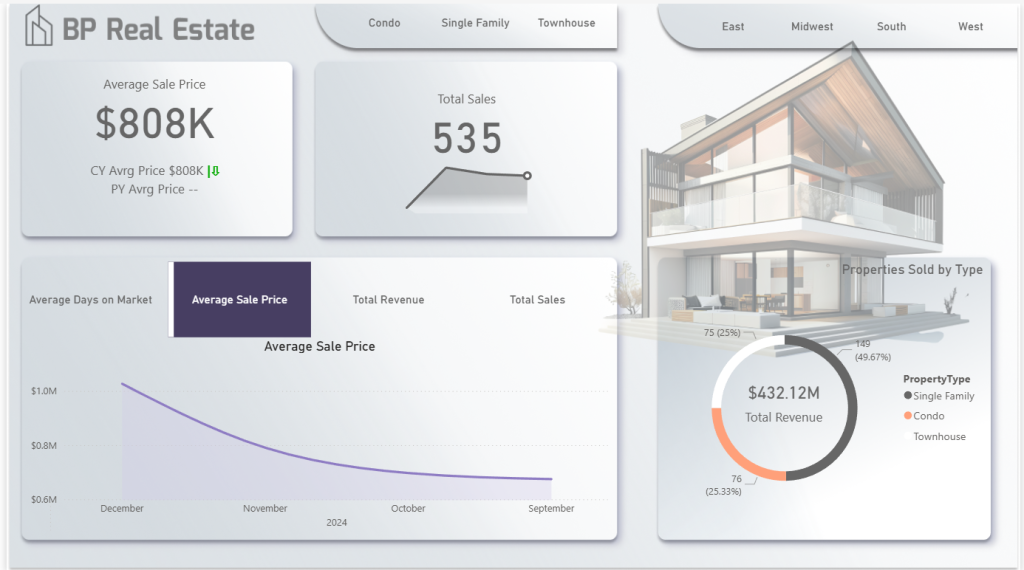
Real Estate Dashboard
Provides real estate companies with a comprehensive, interactive dashboard that delivers actionable insights into sales performance, property pricing trends, and market efficiency. The goal is to enable data-driven decision-making and identify opportunities for revenue growth
Read more
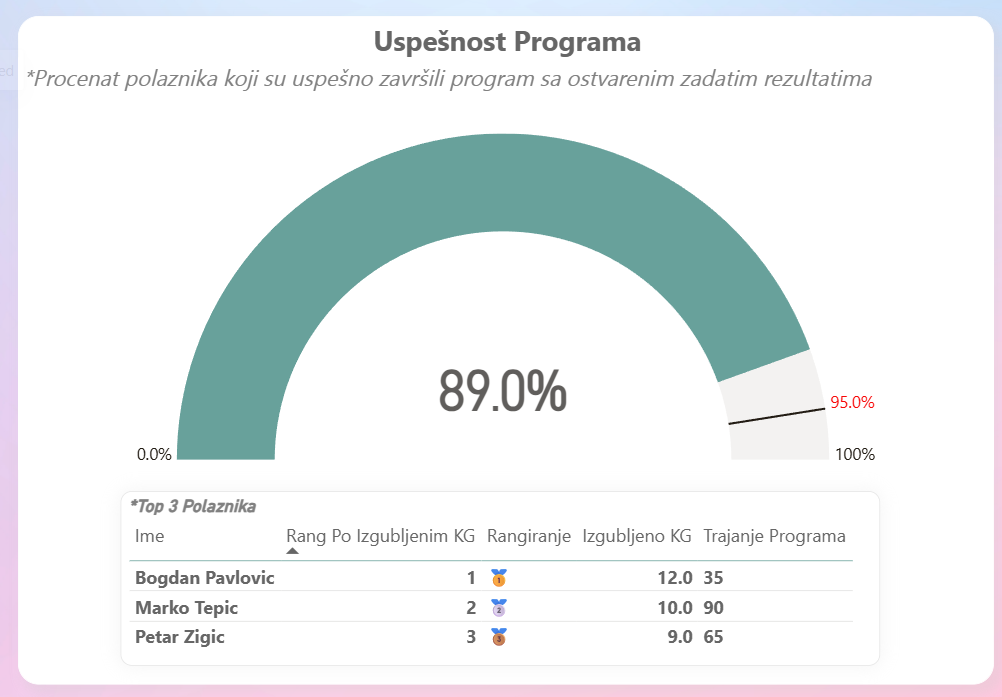
Fitness App
Provide fitness coaches with a mobile-friendly app that tracks clients’ progress, visualizes results, and replaces manual Excel reporting. The goal is to help coaches monitor performance, measure the effectiveness of programs, and demonstrate the value clients are getting from their investment.
Read more
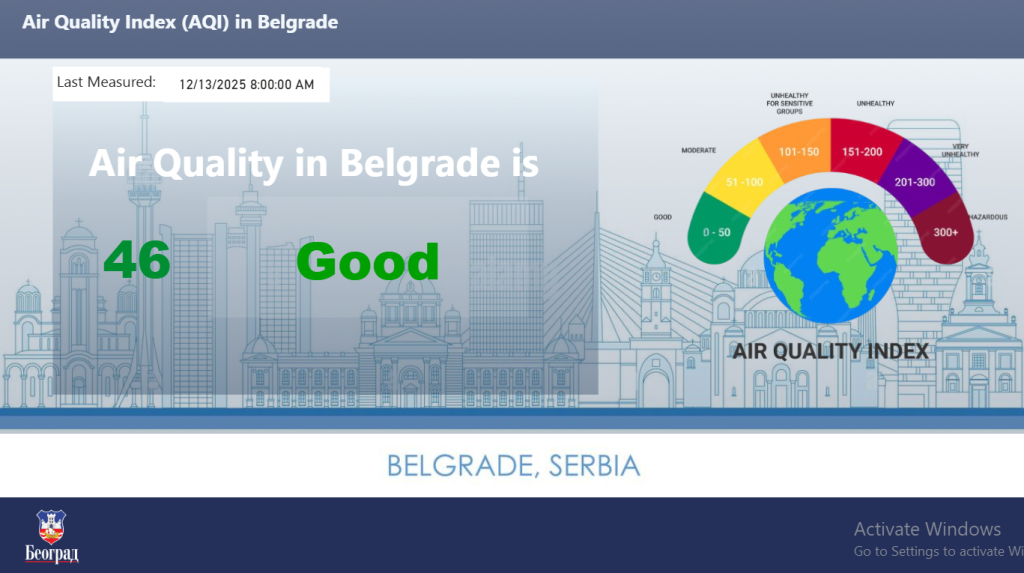
AIQ Dashboard
Developed at the request of the Serbian IT Office as part of the Data for All initiative, this dashboard provides end users with clear, real-time insights into air quality across Belgrade. Updated hourly through API integration, it enables citizens, to monitor every measurement station.
Read more
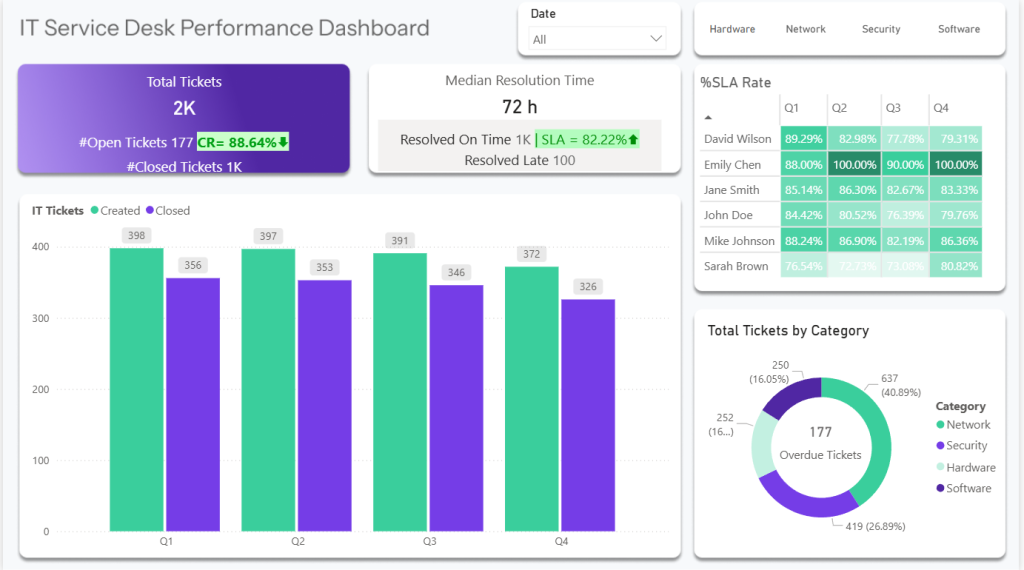
Service Desk Performance
This dashboard tracks backlog, resolved tickets, SLA compliance, productivity, and workload trends, giving a clear, visual account of the work delivered. It allows the company to demonstrate to their client exactly how the invested funds translated into results, efficiency, and completed service work.
Read more
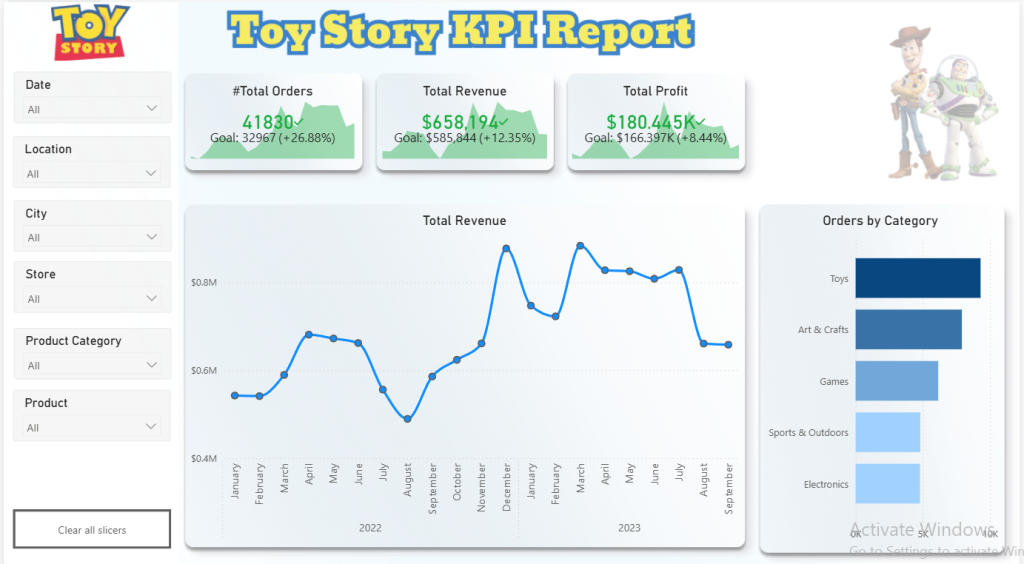
Toy Store
Interactive view of sales and inventory for Toy Story Toys, a chain of toy stores in Mexico. It combines product details, store data, sales transactions, and stock levels to track performance, analyze trends, and compare profitability by category or location. By turning complex data into actionable insights, it supports better decisions and highlights growth opportunities.
Read more
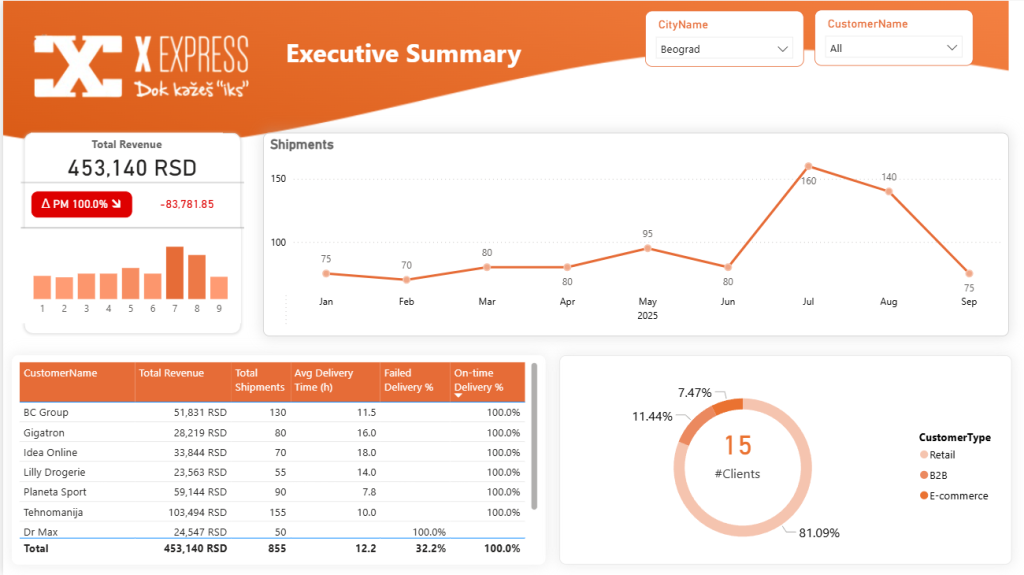
Logistics Dashboard
This Power BI dashboard is built for logistics companies (similar to DHL) that need a real-time view of their entire business in one place, where executives see instant business health, managers track efficiency and performance, and teams quickly identify bottlenecks, resulting in better decisions, improved service quality, optimized costs, and faster growth.
Read more
Automation Solutions
Eliminate repetitive, manual processes by automating workflows. With automation, your processes are faster, error-free, and consistently deliver accurate results, freeing your team to focus on high-value work.
Automated Daily Reporting Pipeline
A process that once required downloading a zipped report, unzipping, cleaning in Excel, and reuploading to SharePoint is now fully automated. Power Automate picks up the email file, uploads and unzips it, and Power BI processes the data automatically — removing manual effort, speeding up updates, and eliminating human error.
Read more
Data History – Captured Automatically
Most companies lose valuable insights because their systems overwrite old data and don’t store historical records. This automation solves that by automatically capturing monthly snapshots from Power BI and saving them to SharePoint, creating a full historical dataset without the need for a database. The result: reliable trend analysis, better decision-making, and zero manual effort.
Read More
Automated Issue Alerts
Detects issues and sends them to owner — along with clear steps on how to fix it. No delays, no missed problems, no back-and-forth.
The result? Higher compliance, faster reaction times, and a big boost in team productivity.